
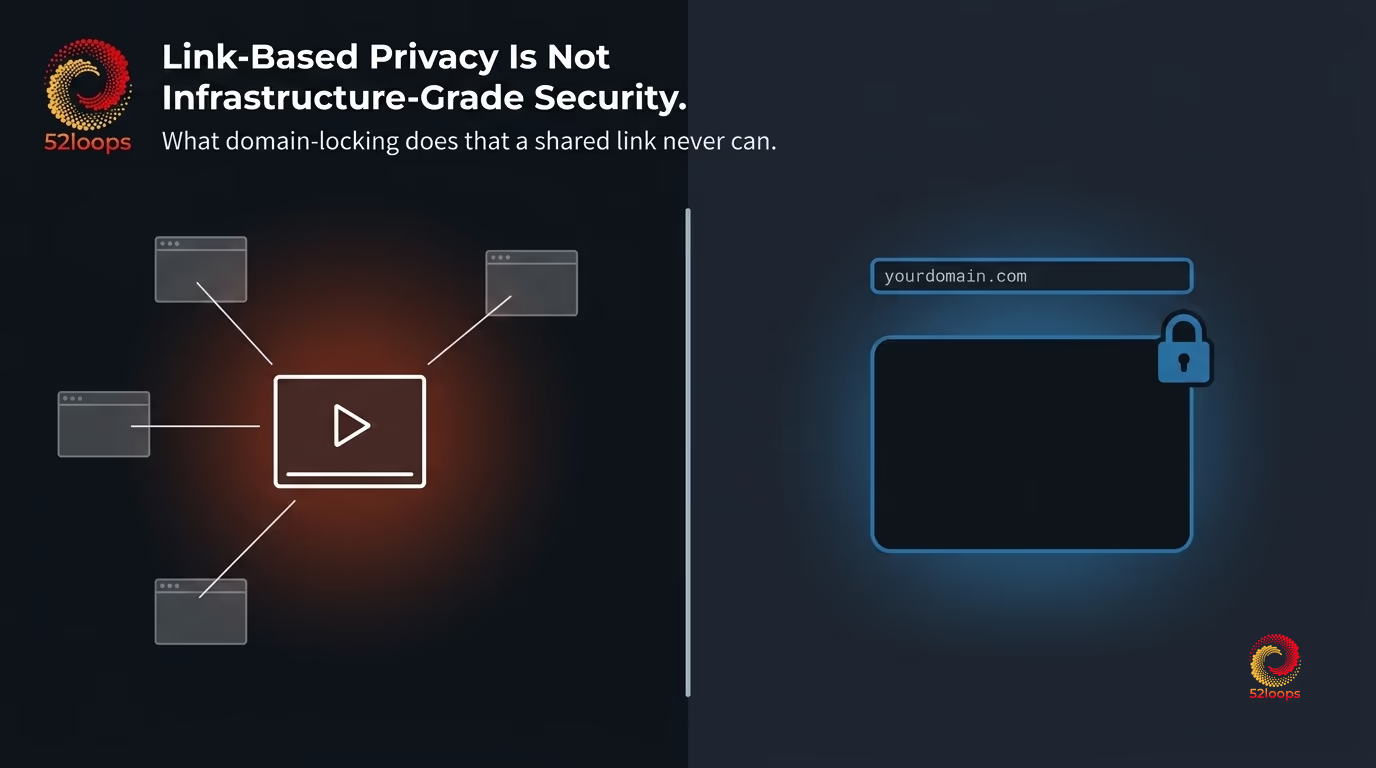
Is Loom private? Loom is private in the sense that you control who receives the link. It is not private in the sense that you control what those recipients do with the link afterward. For internal team updates, that distinction rarely matters. For training content, paid courses, or proprietary methodology, it is the only thing that matters.
Here is a scenario that plays out in real training operations. A team spends four months producing a certification course. They upload it to Loom, set visibility to “anyone with the link,” and distribute it to 40 enrolled customers. Three weeks later, one customer shares the link in a Slack community. Within 48 hours, 600 people have watched the first module.
Loom does not warn you this is happening. There is no domain restriction. There is no alert when a link is forwarded outside the intended audience. The video was not hacked. The privacy settings worked exactly as designed. Loom was built for internal team async communication, and that is precisely what it delivered.
TL;DR: The Short Answer
Loom is a strong tool for internal team communication. It is not designed for controlled distribution of training content, paid courses, or proprietary methodology. If those use cases are central to your operation, Loom’s link-based privacy model creates a structural gap that no setting within Loom fully closes.
At a Glance
| 52loops | Loom (Free) | Loom (Business) | |
|---|---|---|---|
| Pricing model | Fixed monthly (Highway Units) | Free (limited) | $12.50/user/month (billed annually) |
| Monthly cost (10-person team) | $20/month (1 Highway Unit) | $0 (capped features) | $125/month |
| Domain-locking | Yes (all plans) | No | No |
| Video-level privacy | Yes | Limited | Yes |
| Link forwarding risk | Mitigated (domain-locked embeds) | High | Mitigated only with SSO enforcement |
| Password protection | Yes | No | Yes |
| Watermarking | No | No | No |
| Setup requirement | Dashboard upload, no code | Browser record, no code | Browser record, no code |
| Best for | Paid training, courses, gated content | Internal async comms | Internal async comms with workspace SSO |
Note: Loom pricing reflects published figures as of early 2026. Verify current pricing at loom.com/pricing before making a purchasing decision.
Where Loom Excels
Any honest comparison starts here. Loom is one of the most effective async communication tools available for internal teams.
Screen and webcam recording with zero friction. Record from your browser, get a shareable link in under 30 seconds. No software installation, no upload process managed by hand. For teams communicating across time zones or reducing meeting load, this is a genuine operational improvement.
Transcription and comment threading. Loom transcribes videos automatically and surfaces time-stamped comment threads. For design reviews, code walkthroughs, and process feedback, this creates a structured record without the overhead of a meeting transcript.
Slack, Jira, and Notion integration. Loom embeds naturally in the tools most internal teams already use. A developer can record a bug explanation and drop it directly into a Jira ticket without scheduling a call.
Quick feedback loops. For small teams iterating on product, the record-send-respond cycle reduces the decision latency that async text threads create. Face, voice, and screen together are often more efficient than a three-paragraph message.
Loom is one of the best tools for internal async communication. If that is your primary use case, this article is not a reason to switch.
Where Loom’s model creates risk is when training teams carry these same expectations into external content distribution.
What ‘Private’ Means in Loom’s Model
Loom offers three visibility settings per video, and understanding what each one enforces is the starting point for evaluating loom privacy settings.
Anyone with the link. This is Loom’s default. Any person who receives the link, or receives a forwarded copy of the link, can view the video without authentication. The link is the key. Loom has no mechanism to track how many times the link has been forwarded or to whom.
Anyone in your workspace. This setting requires the viewer to be logged into the same Loom workspace before the video plays. On a Loom Business plan, SSO through your organization’s identity provider can enforce this. This is the strongest privacy setting Loom offers, and it covers only viewers who are members of your workspace. External learners, customers, and anyone outside your organization fall outside its scope.
Password protection. Available on the Business plan only. A password adds one additional gate to link access. The video still exists at a URL. If a recipient shares both the link and the password with a third party, Loom has no mechanism to prevent that access.
Bottom line: Loom’s privacy model is link-based. If the link is contained, the video is private. If the link is forwarded, no infrastructure-level mechanism in Loom stops the new viewer. This is a recognized pattern in access control: the Thales Data Threat Report identifies link-based sharing as one of the primary vectors through which access controls are circumvented in SaaS environments, because the link itself becomes a transferable credential.
This model is entirely appropriate for internal team communication, where forwarding a link is often intentional and expected. For training teams who need to ensure only enrolled learners can access specific modules, it is a structural limitation.
Four Security Gaps That Matter for Training Content
These are not edge cases. They are predictable failure points for teams using Loom as a training video host.
1. No domain-locking.
Domain-locking is a control that restricts where a video embed can render. When domain-locking is active, the video player checks that the request originates from an approved domain before serving the content. If someone copies the embed code and places it on a different site, or shares the embed URL directly, the player returns an error instead of playing the video.
Loom does not offer domain-locking at any plan tier. An embed code generated in Loom will play on any website that includes it. For training content embedded in a course platform or a members-only site, the embed itself carries no restriction to that platform.
2. No link expiration.
Loom video links do not expire by default. A link shared with a cohort of learners in January remains active in December unless the video owner manually deletes it or changes access settings. Cohort-based training, where access should end after a program concludes, has no built-in mechanism for automatic expiration.
3. No watermarking.
Loom does not support user-specific or session-specific watermarks. If a video is leaked or redistributed, no technical trail leads back to the specific recipient who forwarded it. For high-value training content, the inability to trace a leak removes one of the primary deterrents against unauthorized redistribution. The Course Creator Academy’s guide to online course piracy identifies link-sharing as the most common distribution vector for stolen course content. For a full breakdown of how watermarking, domain locking, and signed URLs work together, see 3 Ways to Protect Your Course Videos from Being Pirated.
4. Account-level controls, not video-level isolation.
Loom’s strongest privacy setting, workspace SSO enforcement, applies at the account or workspace level. It does not allow you to restrict individual videos to specific subsets of users, such as learners enrolled in Module 3 but not Module 1. Video-level access segmentation, which most course platforms assume from their video host, requires additional tooling that Loom does not provide.
For a broader look at the hidden costs that emerge when video platforms are used outside their intended scope, see 7 Hidden Fees in Affordable Video Hosting.
What Proper Video Infrastructure Security Looks Like
Domain-locking works at the infrastructure level, not the application level. When a training team configures domain-locking on their video host, every playback request triggers a check: the player verifies that the origin domain matches the approved list before the video loads. No matching domain, no playback. This check runs before the first frame of video serves. The OWASP guidance on secure direct object references makes the same point: access controls enforced at the infrastructure layer are structurally stronger than those enforced at the application or link layer.
The practical result: copying an embed code from a gated course page and placing it on a public website returns an error, not a video. Sharing the embed URL directly in a chat produces the same result. The video host enforces the restriction, not the page it sits on.
Highway Unit is 52loops' base capacity unit: 1 TB of bandwidth and 100 GB of storage for $20/month flat. Domain-locking is included on all plans, with no additional configuration tier required.52loops’ additional infrastructure controls relevant to training content:
- Signed URLs with expiration. Video links include a cryptographic signature with a configurable expiration window. A link extracted from a course page and shared externally expires before it can be widely redistributed.
- Embed-only delivery. The player does not expose a direct download link to the source file.
- Growth Buffer . A 20% spike protection window is included with each Highway Unit. When a course launch drives a traffic spike, the Growth Buffer absorbs the overage. Your plan adjusts at the next billing cycle, not mid-launch.
52loops’ Reserved-Capacity Model eliminates the pattern where a successful course launch generates an uncapped invoice. See why we built Growth Buffer instead of a success penalty for the full reasoning behind this design.
Pricing: Loom vs. 52loops for a 10-Person Training Team
The scenario: A training team with 10 members hosts 50 hours of training video and distributes content to 200 enrolled learners per month. Learners watch an average of 2 GB of video each per month.
Loom Business cost breakdown:
| Cost factor | Calculation | Monthly cost |
|---|---|---|
| Per-seat pricing ($12.50/user/month x 10 users) | 10 team members | $125.00 |
| Storage | Included (per-user cap) | $0.00 |
| Bandwidth | Included | $0.00 |
| Domain-locking | Not available | N/A |
| Total | $125.00 |
52loops cost breakdown:
| Cost factor | Monthly cost |
|---|---|
| 1 Highway Unit (1 TB bandwidth + 100 GB storage) | $20.00 |
| Growth Buffer (20% spike protection) | Included |
| Domain-locking | Included |
| Player, analytics, privacy controls | Included |
| Total | $20.00 |
The pricing gap is $105/month, or $1,260/year for a 10-person team. The more structurally relevant difference is that Loom Business does not add domain-locking at any price point. The SSO enforcement Loom Business provides is strong for internal teams. It is not a substitute for infrastructure-level domain restriction when the audience extends beyond your own organization.
Note: Loom pricing reflects published figures as of early 2026 ($12.50/user/month, billed annually). Verify current pricing at loom.com/pricing before making budget decisions. 52loops pricing is $20/month per Highway Unit.
For teams evaluating broader cost predictability, the Success Tax pattern and how to avoid it is covered in the 2026 Guide to Video Hosting Overages.
Who Should Use Each Platform
Use Loom if:
- Your primary use case is internal async team communication: screenshares, code walkthroughs, design reviews.
- Your videos are for internal consumption and workspace-level SSO enforcement covers your access requirements.
- You are not hosting paid content, proprietary methodology, or external learner training.
Use 52loops if:
- You host paid training content, certification programs, or proprietary methodology for a defined audience.
- You embed video on a course platform, community site, or gated page and need the embed restricted to that context.
- You want predictable infrastructure costs without per-seat pricing.
- You are running cohort-based training where access should be time-bound.
For teams using Circle.so for community-based learning, the same domain-locking requirement applies: the video host must restrict embeds to the Circle domain, not rely on a shared link. For teams evaluating alternatives to enterprise communication tools like Vidyard, see Vidyard Alternatives for Small Teams Without Enterprise Bloat. For course creators comparing platforms more broadly, Best Video Hosting for Course Creators in 2026 covers the full range of options.
The use-case distinction is the correct frame. Loom is not a flawed product. It is a well-designed tool operating exactly as intended. The gap exists when training teams apply it to a use case it was not built for.
How to Migrate Training Videos from Loom to 52loops
This is not a tutorial. It is a four-step summary to remove the inertia of switching.
Step 1: Export your Loom videos. Loom allows MP4 download for all videos. Navigate to each video and use the download option. Loom does not provide a bulk export tool; plan for this time across a large catalog. Note: Loom transcriptions do not export as SRT or VTT. If accessibility is a requirement, plan to regenerate captions after migration.
Step 2: Upload to 52loops. Upload MP4 files via the 52loops dashboard. Transcoding and processing run automatically. No encoding configuration is required.
Step 3: Configure domain-locking. Add your course platform or gated site domain to the allowed domains list in the 52loops dashboard. This takes under two minutes. Embeds will only render on the domains you specify.
Step 4: Replace embed codes. Swap Loom embed iframes for 52loops player embeds in your course pages or LMS. The dashboard generates embed codes per video. No backend code is required.
For teams evaluating the technical side of video hosting infrastructure, 52loops vs. Mux covers the developer API comparison in detail.
Frequently Asked Questions
Is Loom private for business use?
Loom offers privacy settings that control who can access a video link, but “private” in Loom’s model means the link is gated, not that playback is infrastructure-restricted. On the free and Starter plans, videos default to “anyone with the link,” meaning any recipient can forward the link to others without restriction. On the Business plan, SSO enforcement can restrict access to members of your organization’s identity provider. This is a strong control for internal teams. For external learners, customers, or paid course audiences, SSO enforcement does not apply, and link-based sharing remains the access model. If your definition of “private” includes “only the person I enrolled can watch this,” Loom’s model requires an additional access layer outside Loom itself.
Can Loom links be forwarded to people outside my organization?
Yes. Loom link sharing permissions allow any recipient of a video link to forward it to additional recipients. Unless the workspace requires SSO authentication (Loom Business plan), Loom has no mechanism to detect or block a forwarded link from reaching a new recipient. The SSO restriction on Business plans does prevent non-workspace members from viewing videos set to “anyone in your workspace,” but this setting applies only to internal videos, not to links shared with external audiences.
What is the difference between Loom privacy and domain-locking?
Loom privacy controls determine who can access a video link. Domain-locking determines where a video embed can render. These are different controls addressing different threat vectors. Loom’s link-based privacy controls the access gate at the link level: if you have the link and meet the authentication requirement, you can watch the video from any browser, on any device, on any website. Domain-locking controls the embed at the infrastructure level: the video renders only when the request originates from an approved domain. Copying an embed code to an unauthorized site returns an error, regardless of whether the viewer has a valid link. Loom does not offer domain-locking. 52loops includes it on all plans.
How does 52loops protect training videos from unauthorized access?
52loops uses domain-locking to restrict video embeds to approved domains. When a training team adds their course platform’s domain in the 52loops dashboard, embeds render only when requests originate from that domain. Signed URLs add a second layer: video links include a cryptographic signature with a configurable expiration window, so links extracted from a course page and shared externally expire before widespread redistribution. Embed-only delivery means the player does not expose a direct download link to the source file. These controls operate at the infrastructure level and require no additional application code from the training team. Domain-locking, signed URLs, and embed-only delivery are included on all 52loops plans.
Should I use Loom or dedicated video hosting for my training library?
The decision follows from your content type and audience. If your training content is internal, non-sensitive, and intended for team members who already belong to your organization’s identity provider, Loom Business with SSO enforcement covers the access control requirement. If your training content is paid, proprietary, or distributed to external learners outside your organization, a dedicated video hosting platform with infrastructure-level controls is the appropriate choice. The core question is whether link-based privacy, where the link itself is the access gate, is sufficient for your content’s risk profile. For proprietary certification programs, paid courses, or methodology-intensive training, the answer is generally no. A platform that includes domain-locking as a baseline is the right infrastructure fit for private video hosting for online courses with defined enrollment.
To see 52loops pricing and start with a free trial, visit 52loops.com/pricing.