
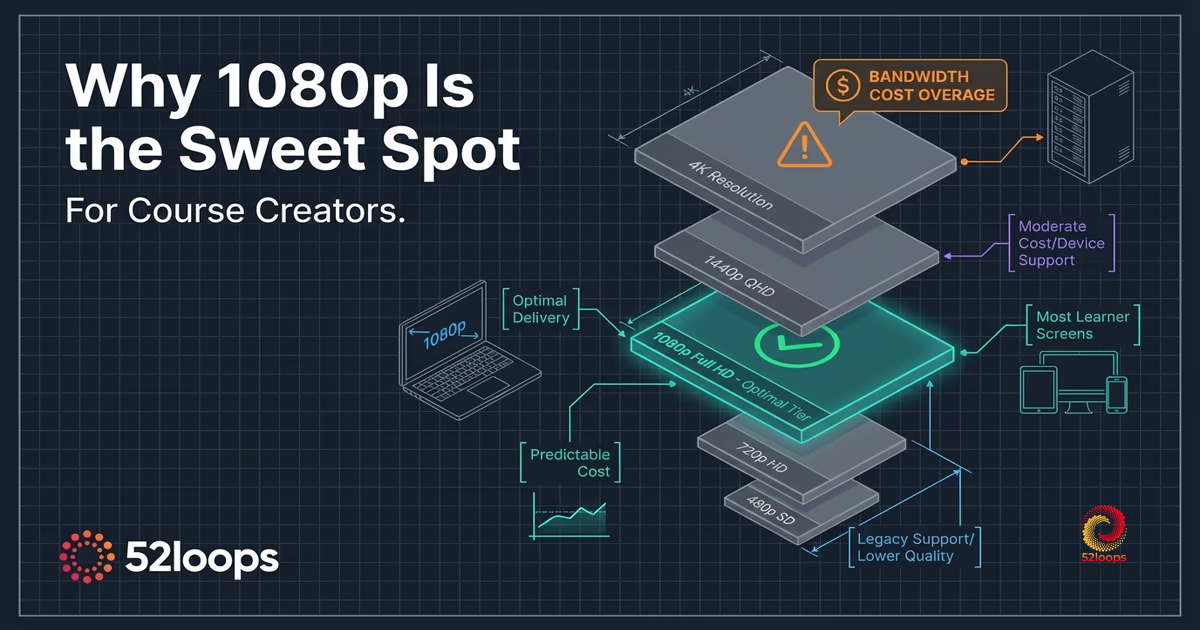
For most course creators, 1080p is the right delivery resolution. Not because of budget constraints, not because better technology is unavailable, but because the data on how learners actually consume video points directly at it. Everything above 1080p in a course delivery context is, in most cases, a cost you pay without a quality improvement your students can see.
You uploaded a 4K video to look professional. Your students streamed it on a 13-inch MacBook. Your hosting bill went up. Their experience did not.
That gap is what this article is about. It is not a recording guide. There are plenty of those. This is an infrastructure and delivery argument, written from the position of someone who had to make a deliberate decision about where to cap 52loops’ transcoding pipeline, and who walked through the bandwidth math before making it.
What Resolution Can Your Students Actually See?
The answer depends entirely on the screen in front of them, and most of those screens are 1080p or smaller.
StatCounter’s global desktop screen resolution data shows the single most common monitor resolution among PC users is 1920x1080, accounting for the majority of sessions. For laptops specifically, many 13-inch and 14-inch displays ship at 1080p or sometimes 1440p. The 4K laptop category exists, but it is not the median learner’s machine.
There is also a viewing distance factor that rarely gets discussed. On a 13-inch screen viewed at arm’s length, the human eye cannot resolve the additional pixel density that 4K provides over 1080p. Adobe’s video resolution guide notes that the perceptual threshold for 4K versus 1080p on smaller screens requires the viewer to sit extremely close to the display, well within the range most people would find uncomfortable for a two-hour course session.
The visual quality argument for 4K in course delivery collapses at the hardware level. The perceptible difference exists only on large displays viewed at close range, a minority of your student base, and even for that minority, the improvement is incremental rather than transformative.
The resolution that looks sharp on the screens most of your students are actually using is 1080p. Anything above it is invisible to most of your audience.
The Bandwidth Math Nobody Talks About
A single minute of 4K video at standard bitrates requires approximately 15-25 Mbps to stream. The equivalent 1080p stream requires 5-8 Mbps, according to VideoSDK’s streaming bitrate guide. That is a 3 to 4 times difference in bandwidth per minute of content delivered. On file size, the gap is similar: a 10-minute 4K video at high quality runs roughly 4 times the storage footprint of its 1080p equivalent.
For platforms that bill on a per-gigabyte basis, this math is not abstract. It shows up directly in your hosting invoice. If your course library is 20 hours of content and your students watch an average of 3 hours per month, you are delivering a meaningful volume of data. At 4K, that volume is roughly 4 times what it would be at 1080p, and on a usage-based platform, you pay for every gigabyte delivered.
That is the Success Tax problem in action. As your course grows, as enrollment increases and more students stream more content, your bandwidth bill scales up with every new student session. If that content is 4K, the bill grows faster. If the resolution improvement was invisible to your students, you paid more for nothing.
The bandwidth overage cost problem is one that most course creators encounter only after growth, when the invoice arrives and the math finally becomes visible. By that point, the content library is already built, and re-encoding everything is its own cost.
The time to make the resolution decision deliberately is before you build the library, not after you receive a surprise invoice.
Why 52loops Caps Delivery at 1080p
When I was designing the transcoding pipeline for 52loops, the resolution cap question came up early. The default instinct in infrastructure products is to support the maximum possible specification. More is more. 4K sounds better than 1080p in a feature comparison table.
I made a different call. 52loops transcodes and delivers up to 1080p, and that cap is deliberate.
Here is why. The product is built around predictable, fixed-cost delivery. The entire pricing model is structured so that a course creator can forecast their hosting cost without worrying about a usage spike driving an unexpected invoice. That model is explained in more detail in the article on how the Growth Buffer works, but the principle is simple: fixed capacity should come with predictable cost, not a variable bill tied to resolution decisions your students cannot perceive.
Capping delivery at 1080p is what makes that model operationally stable. If delivery were permitted at 4K, the bandwidth math would require either a significantly higher fixed price or a usage component that reintroduces the overage problem. Neither outcome serves the course creator.
The 52loops delivery infrastructure uses HLS adaptive bitrate streaming. A student on a slower connection receives a lower-quality stream automatically, and a student on a fast connection receives the full 1080p. The player adapts to available bandwidth in real time. You get the best quality your student’s connection can support, up to 1080p, without manual configuration.
The fixed delivery capacity model works for the same reason. Rather than billing per gigabyte, 52loops allocates a fixed slice of delivery capacity per plan. Think of it like a professional mobile data plan: you reserve the capacity you need, and you use it. The resolution cap is part of what makes that reservation predictable, because every video in the library has a known maximum bitrate.
The cap is not a limitation in the sense of missing technology. 4K delivery is not technically difficult. The cap is an infrastructure position: a deliberate alignment between what learners can see and what you should pay to deliver.
Should You Still Record in 4K?
Recording and delivery are separate decisions, and conflating them is a common source of confusion.
Recording in 4K, if your camera supports it, is a reasonable choice for post-production flexibility. When you record at a higher resolution than your delivery target, you have room to crop, reframe, and stabilize footage without losing sharpness in the final output. A talking-head video recorded in 4K and exported at 1080p will often look cleaner than one recorded natively at 1080p, because the downscale captures more color and light information per output pixel.
That is the case for 4K recording. If you have the hardware and the storage budget for raw files, use it.
Record at whatever resolution benefits your editing workflow. Deliver at 1080p.
Once the file leaves your editing software and heads toward your hosting platform, the delivery resolution is what matters for your students and your hosting cost. A 4K master file that you export and upload as 1080p gives you the best of both: the editing flexibility of 4K capture and the cost-efficient delivery of 1080p.
If your current workflow is recording in 4K and uploading the raw 4K file directly to your hosting platform, you are paying for a delivery resolution that provides no additional value to most of your students. The fix is to add an export step at 1080p before uploading.
What This Means for Your Course Hosting Decision
When evaluating a video hosting platform, resolution handling is a question worth asking directly rather than assuming.
Some platforms accept 4K uploads and deliver them at 4K by default, passing the bandwidth cost to you through usage-based billing. Others transcode uploads but apply quality compression that reduces the value of a high-resolution source. Others, like 52loops, accept uploads at your recorded resolution and transcode down to an optimized delivery format.
The right question to ask any platform: what resolution do you deliver at, and how does that affect my monthly cost as my course library grows and my student count scales? When evaluating video hosting platforms for long-term use, this question surfaces cost differences that feature comparison tables often obscure.
A platform that delivers at 4K with usage-based billing will cost significantly more at scale than one that delivers at 1080p with fixed-capacity pricing, even if their listed prices look comparable at first glance.
The 52loops capacity model is designed to remain predictable as your library grows and your enrollment increases. You can calculate expected delivery capacity against your library size and typical watch hours, and that calculation does not change when a course goes viral.
If you want to run the numbers for your specific course library, the capacity calculator on the 52loops pricing page lets you input your video hours and estimated monthly views to see how delivery capacity maps to your use case.
The resolution decision is not glamorous. It sits upstream of the student experience, invisible if you make it correctly. But it is one of the more consequential infrastructure decisions a course creator makes, because it shapes the cost structure of everything that comes after.
At 1080p, the math works. Your students see a sharp, well-delivered video. Your hosting cost is predictable. And the difference between what you paid and what you would have paid for 4K stays in your operating budget rather than your hosting invoice.
Frequently Asked Questions
Yes. Most learners watch course videos on 1080p screens or smaller. According to StatCounter's global desktop resolution data, 1920x1080 is the single most common monitor resolution among PC users, and most laptops ship at 1080p or below.
At typical viewing distances on a 13-inch or 14-inch laptop screen, the human eye cannot resolve the additional pixel density that 4K provides over 1080p. The perceptual difference from upgrading beyond 1080p is negligible for the majority of your students, while the bandwidth cost is roughly 3 to 4 times higher.
Recording in 4K and delivering in 4K are separate decisions.
Recording in 4K is reasonable if your camera supports it. You gain post-production flexibility, including room to crop, reframe, and stabilize footage without losing sharpness in the final export. A video recorded at 4K and exported at 1080p often looks cleaner than one recorded natively at 1080p.
Delivering in 4K to students increases bandwidth cost without a meaningful quality improvement for most learners. The practical recommendation: record in 4K if your workflow benefits from it, then export and upload at 1080p.
Yes, directly. Higher resolution means larger file sizes and more bandwidth consumed per view.
A single minute of 4K video at standard bitrates requires approximately 15-25 Mbps to stream. The equivalent 1080p stream requires 5-8 Mbps. On file size, 4K runs roughly 4 times the storage footprint of 1080p.
On platforms that bill per gigabyte of bandwidth delivered, this math shows up directly in your invoice. As your course library grows and student count scales, the resolution decision compounds. Delivering at 4K on a usage-based platform will cost significantly more than delivering at 1080p with fixed-capacity pricing.
52loops transcodes and delivers up to 1080p. You can upload at your recorded resolution, including 4K source files, and the platform will transcode down to an optimized delivery format.
The 1080p delivery cap is a deliberate infrastructure decision, not a technical limitation. It aligns the delivery resolution with what most learners can actually see, and it is what makes the fixed-capacity pricing model operationally stable. For more on the reasoning, see the article on why 1080p is the sweet spot for course creators.
4K delivery is technically possible. We will add it when the data shows a meaningful share of students can actually benefit from it, meaning widespread 4K screen adoption among learners.
Until that threshold is reached, enabling 4K delivery would mean charging more for something most students cannot see. The current 1080p cap is not a technical constraint. It is a deliberate alignment between what learners can perceive and what you should pay to deliver.
When the hardware reality changes, the delivery cap will change with it.
HLS (HTTP Live Streaming) is the delivery standard 52loops uses for all video playback. Instead of sending a single fixed-quality video file, the platform encodes your upload into multiple quality levels (320p, 720p, 1080p) and breaks each into short segments.
The player monitors your viewer's available bandwidth in real time and selects the appropriate quality level automatically. On a fast connection, your viewer gets 1080p. On a mobile connection mid-commute, the player steps down to 720p or 320p to keep playback smooth without buffering.
The practical result is that your video starts faster and stalls less often, regardless of the viewer's network conditions. HLS is the same delivery method used by Netflix and YouTube, and it is supported natively on every modern device and browser.